Turn any lecture PDF into flashcards
Upload your slides or readings. Clevaly writes the flashcards, files them under the right class, and you start studying before it is finished.
Review and edit every card before you study.
How to turn a PDF into flashcards
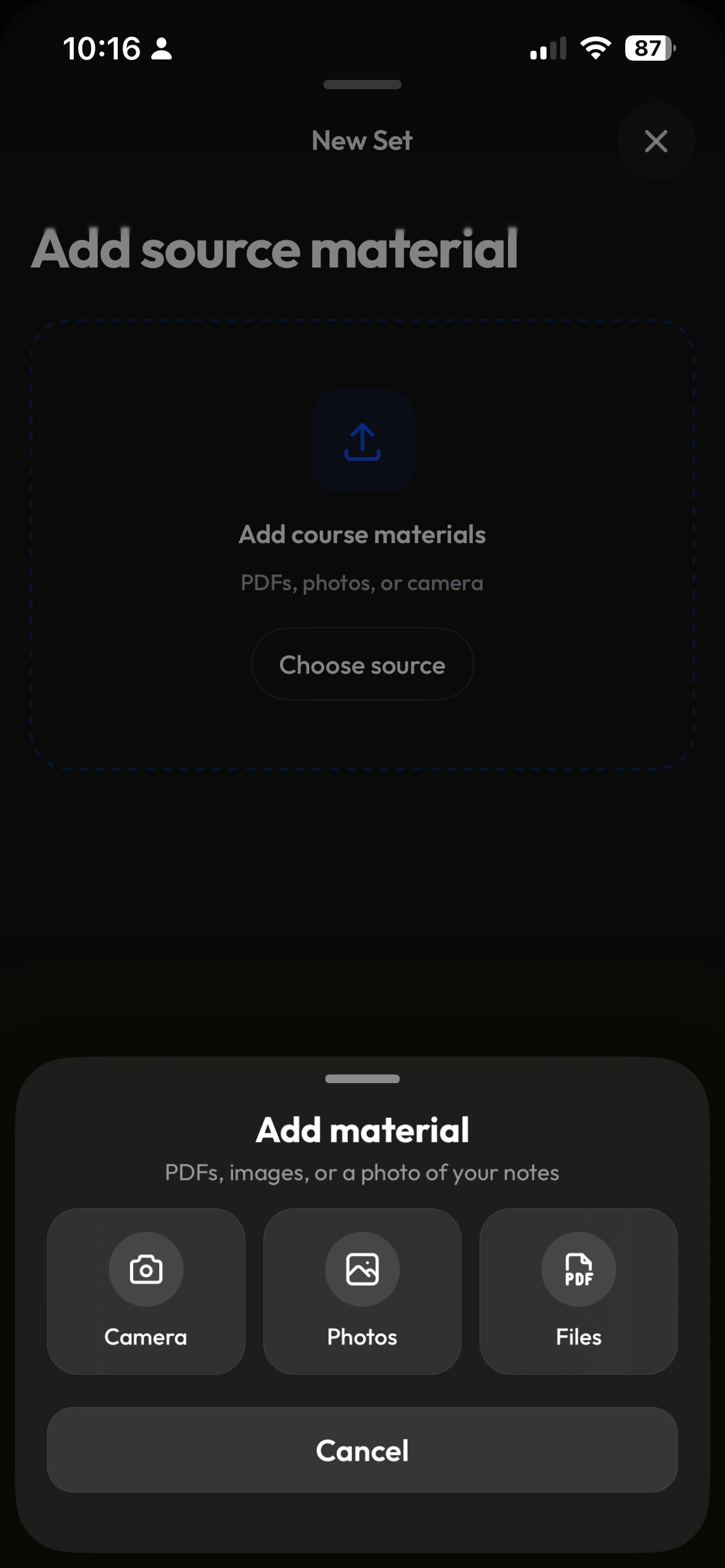
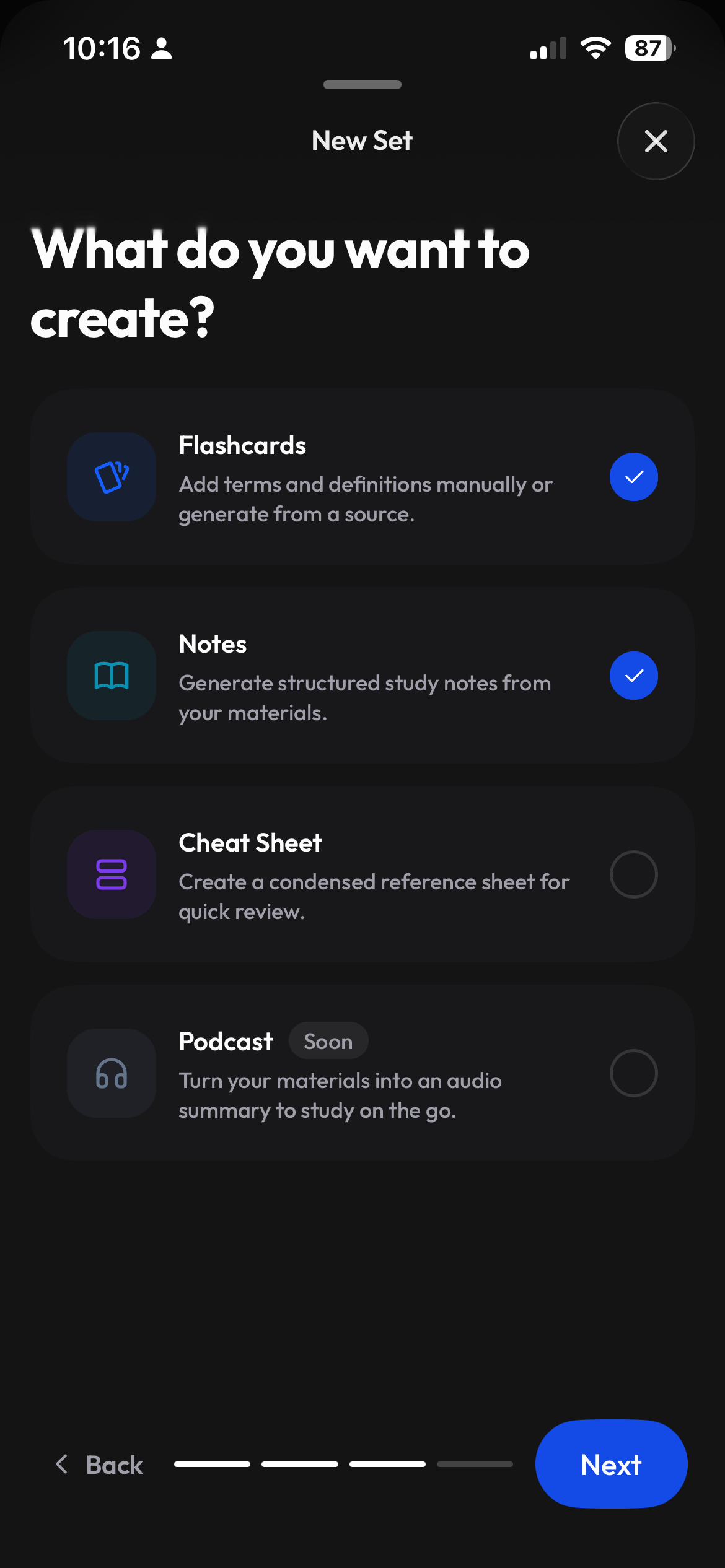
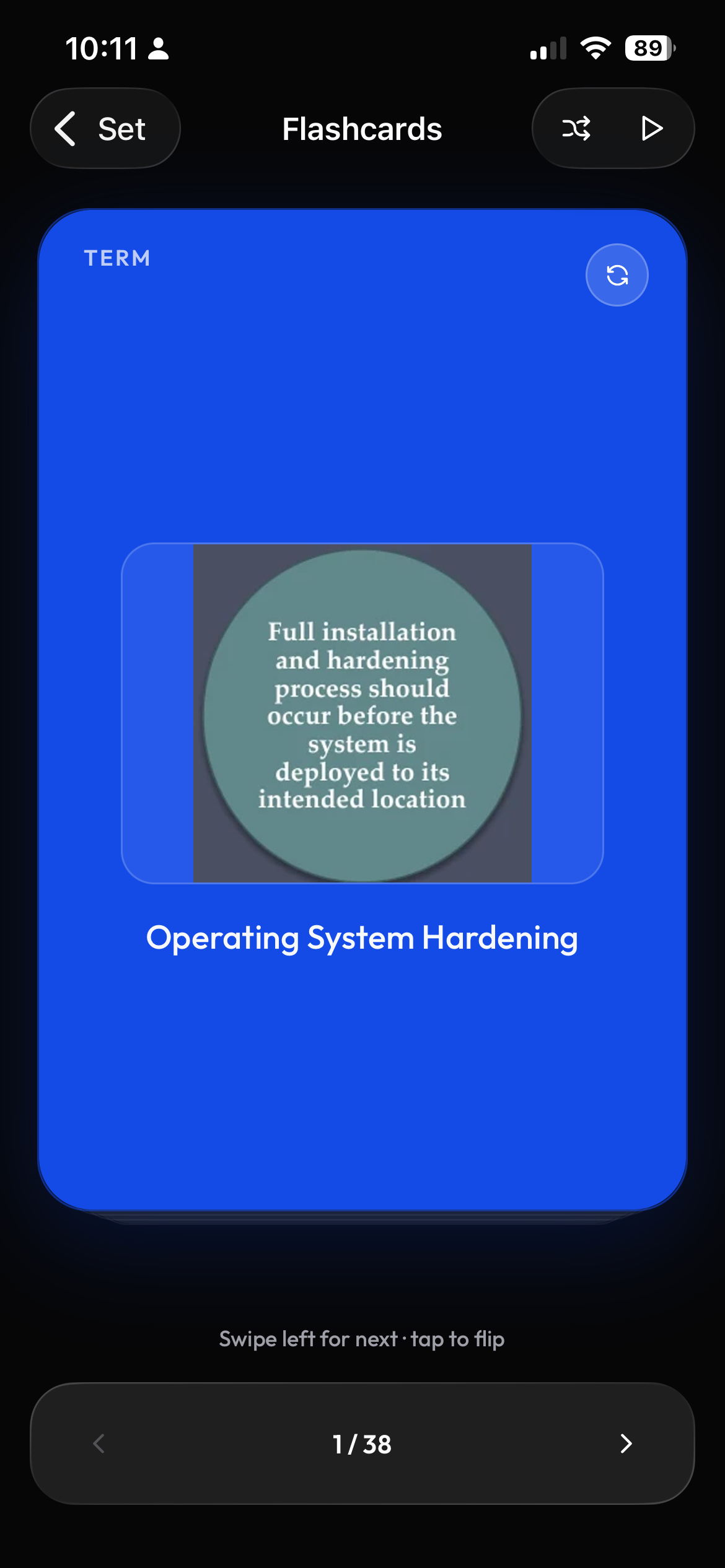
To turn a PDF into flashcards with Clevaly, create a study set, choose the class, upload the PDF or several lecture files at once, and select Flashcards. Clevaly AI writes term-and-definition cards from the file, which you can review and edit, then study with Flashcards, Learn, Test or Match on web or mobile. Studying is free on every plan; generating from a PDF uses study actions. If your course runs on Moodle, Canvas or Brightspace, course PDFs can sync in automatically and become flashcard sets by topic. See pricing for plan details, or browse all features.
From PDF to study set in 3 steps
- 1
Pick a class and add your PDF
Choose the class the set belongs to, then upload a PDF or batch import several lecture files at once.
- 2
Choose Flashcards
Select Flashcards, and optionally Notes or a Cheat sheet. Terms stream in as they are written, so you can start reading right away.
- 3
Review, edit, then study
Check each card and edit anything you want to change. Then study in Flashcards, Learn, Test or Match.
Start from the material you already have
- Images
- PowerPoint
- Word documents
- Other documents
- YouTube links
- Pasted text
- Files in your class library
- Pages and PDFs captured with the Chrome extension
Working from typed notes instead of a file? You can make flashcards from notes too. To capture pages and PDFs while you browse, use the Chrome extension.
Five ways to study the same set
Every term carries a mastery level, and your progress syncs between web and mobile. Studying never costs study actions. Read more in study modes at a glance.
| Mode | Best for | How it works |
|---|---|---|
| Flashcards | A first pass and quick review | Flip cards, star the hard ones, and sort them into Know and Still learning. |
| Learn | Memorizing a set | Adaptive rounds of multiple choice, written and true/false questions that move each term up its mastery level. |
| Test | Checking yourself before an exam | A generated practice test with a results breakdown per question. |
| Match | Speed and a little competition | Match terms to definitions against the clock. |
| Blast | A change of pace | A timed space game with matching definitions, shields and streak bonuses. |
Course PDFs arrive on their own
Connect Moodle, Canvas or Brightspace and course PDFs sync into the right class and topic. Access is read-only. Moodle and Brightspace connect through your school login, and Canvas with an access token.
Moodle
Connect with your school login. Course PDFs sync into the right class and topic.
Canvas
Connect with an access token. Course PDFs sync into the right class and topic.
Brightspace
Connect with your school login. Course PDFs sync into the right class and topic.
How PDF flashcard tools compare
| Feature | Clevaly | Quizlet | Anki | Knowt |
|---|---|---|---|---|
| Makes cards from a PDF | Yes, uses 3 study actions | Yes, via Magic Notes; some features need Plus | No native PDF generation; imports text, CSV and apkg | Yes; the free plan includes 1 AI summary per month |
| LMS file sync | Moodle, Canvas, Brightspace | Not found | No | Not found |
| Study modes free | All modes on every plan | Learn and Test limited without Plus | Free | Free |
| Scheduler | Mastery levels | Not named | SM-2 and FSRS | Spaced repetition mode |
Frequently asked questions
Can I make flashcards from a PDF for free?
Creating an account is free, and studying is free on every plan: Flashcards, Learn, Test, Match and Blast never cost study actions. Generating flashcards from a PDF uses 3 study actions from your monthly allowance. See the pricing page for what each plan includes.
Can AI make flashcards from my lecture notes or slides?
Yes. Upload your slides or readings as a PDF or document, or paste your notes as text, choose Flashcards, and Clevaly AI writes term-and-definition cards from the material. You can review and edit every card before you study.
Can Anki make flashcards from a PDF?
Anki does not generate cards from a PDF natively. It imports text, CSV and apkg files, so the cards need to be prepared first. Anki is well known for its SM-2 and FSRS scheduling. Clevaly writes the cards from the PDF for you and keeps them in your class.
Are AI-generated flashcards accurate?
Cards are written from the file you upload, but AI can still make mistakes or miss a detail. That is why you can review and edit every card before you study, and why checking them against your lecture material is a good habit.
Does it work with Moodle, Canvas and Brightspace?
Yes. Clevaly connects to Moodle and Brightspace through your school login and to Canvas with an access token. Access is read-only, and course PDFs sync into the right class and topic, where they can become flashcard sets.
Are my files used to train AI?
No. Your files are used to generate your own study material and are not used to train AI models.

Your next exam slides are already a study set
Upload a lecture PDF, review the cards, and start studying in Learn, Test or Match.